How to track several brokerage accounts in one net worth
3 min read
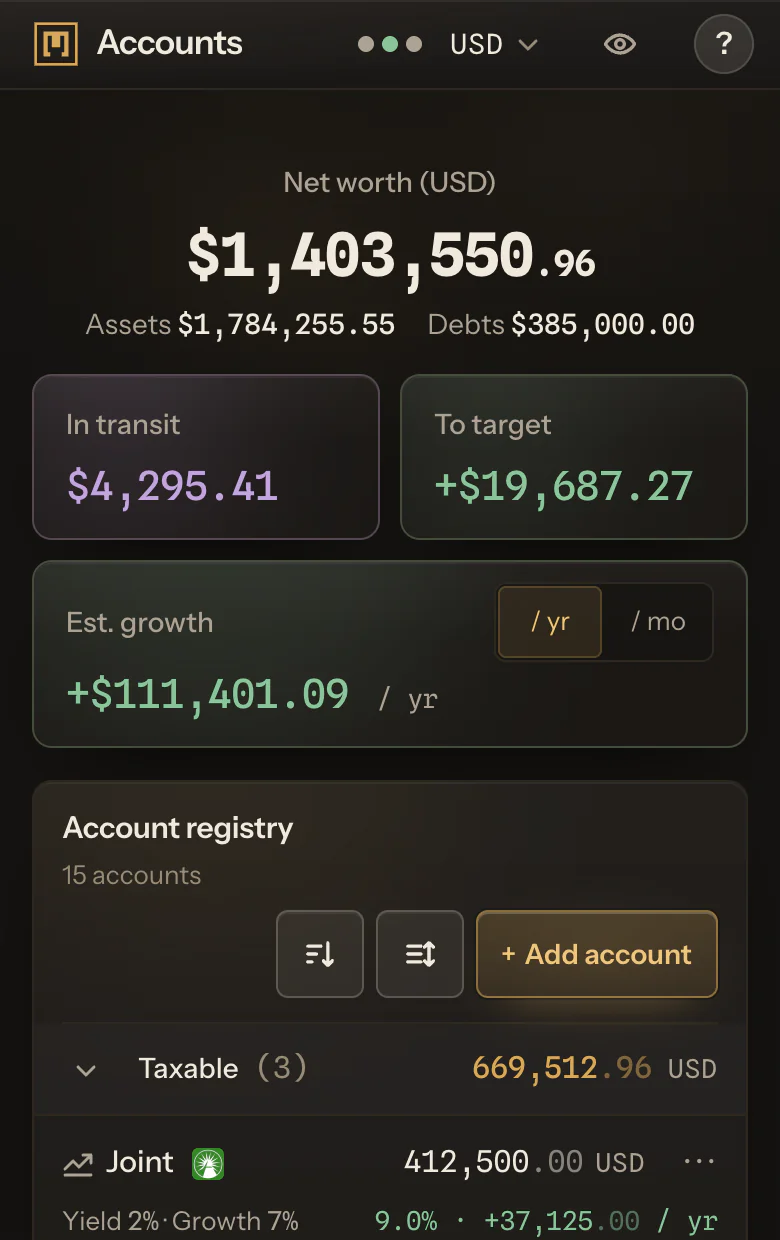
To see several brokerage accounts and your bank accounts in one net worth, keep them in one ledger that totals them in one currency. In Moflow, the brokerages on its list connect on Moflow+, Interactive Brokers and Wealthsimple among them, and a bank account is added by hand with its balance. Both count in the same total, in the display currency you pick.
Each brokerage has its own app and its own statement, so what they add up to sits in none of them. Moflow is the ledger that holds that figure, beside your cash, your property and your debts.
Interactive Brokers and Wealthsimple, side by side
Say one account is at Interactive Brokers, in US dollars, and another is at Wealthsimple, in Canadian dollars. On Moflow+, connect each brokerage once. Its accounts arrive with their positions, cash and balances, and one brokerage can bring in more than one account.
An account keeps its own currency, and your net worth shows them together in one display currency. Change the display currency anytime, and no account changes. They sit in the same list as the accounts you keep by hand, and count in the same total. No more typing in positions after a statement arrives.
The steps are on Connect your brokerage.
A bank account, by hand
Moflow+ connects brokerages, not banks. A bank account is added by hand, with a name, a currency and the balance on your statement, and counts in the same total as a connected one. You update it when you choose.
The same goes for a brokerage that is not on the list, a pension, a flat or a mortgage. A debt is recorded as the amount owed and subtracted from the total.
What you see across brokerages
Portfolio shows holdings, cost, gains and weights across your accounts. Allocation shows where the money actually sits, by asset class and by currency. Both come with Free.
A connected holding carries your broker's price, marked Broker price. Where the brokerage dates its prices, the account shows when. Connected accounts update once a day, so there is nothing to press.
Which brokerages connect
Moflow+ connects the brokerages on the list at Connected accounts. Among them: Fidelity, Charles Schwab, Vanguard, Robinhood, Interactive Brokers, Webull, Questrade and Wealthsimple, plus Coinbase for crypto. The page's search finds the rest.
Not on the list? Add it by hand, and it counts in the same total.
Read-only, and yours to disconnect
Read-only: Moflow never trades, never moves money and never receives your broker sign-in details.
Disconnect a brokerage, and its account can stay with its last figures, kept by hand from then on. Your ledger is encrypted in transit and at rest and used only to serve you.
Free, and what Moflow+ adds
On Free, every account you add counts toward one net worth, kept by hand. Moflow+ connects supported brokerages, so their positions, cash and balances arrive on their own. It also lets your AI read and update your ledger, and adds trends, goals, projections and retirement. What each plan costs is on Pricing.
Questions
Can I see Interactive Brokers and Wealthsimple in one dashboard?
Yes, on Moflow+. Both are on the list of brokerages that connect, and their accounts sit in one list and one net worth. An account keeps its own currency, and the total converts it.
Can I connect my bank?
No. Moflow+ connects brokerages, not banks. A bank account is added by hand and counts in the same total as a connected one.
How often do connected accounts update?
Figures update once a day on their own. Prices can be about a trading day behind the market.
Can Moflow trade or move my money?
No. Moflow reads from your brokerage: it never trades and never moves money. It never receives your broker sign-in details.
What if my brokerage is not on the list?
Add the account by hand, with its balance or its holdings. It counts in the same net worth as the accounts that connect.