Connect your brokerage accounts to ChatGPT or claude.ai
4 min read
To talk to your brokerage accounts in ChatGPT, claude.ai or Grok, connect the brokerage to Moflow, then add Moflow to your AI app. On Moflow+, a supported brokerage connects read-only, and your AI reads its holdings and balances from your Moflow ledger. Through Moflow, your AI cannot trade, place an order, or move money at a bank or broker.
Moflow supplies no AI — you connect your own. You keep asking in the app you chat in today, and it answers from your Moflow ledger: the brokerage accounts that connect, the bank accounts you keep by hand, your property and your debts, totalled into one net worth.
How it works, in three steps
- Connect your brokerage. On Moflow+, open Portfolio, select Add account, then Investment, and pick yours under Find your brokerage. Finish the brokerage sign-in that opens. Positions, cash and balances arrive on their own and stay current. Connect your brokerage has every step.
- Add Moflow to your AI app. Copy your Moflow address from Connect your AI, which has the steps for each app, and paste it where your AI app asks for one. The app sends you to Moflow: sign in, and a screen names your AI and lists what it may read and write. Until you select Allow, nothing is connected.
- Ask about your money. Ask in plain words, in a chat.
Talk to your portfolio: questions to ask
- What's my net worth?
- What is my brokerage account worth, and when are its prices from?
- How much of my cash is idle?
- Which accounts hold euros, and what are they worth in dollars?
- How far is each asset class from my target mix?
- How has my net worth changed over the last six months?
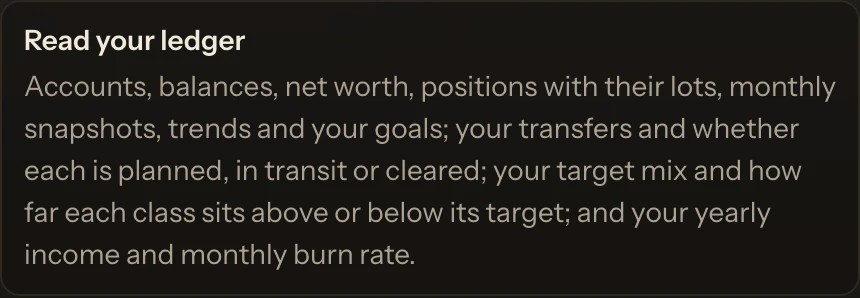
Your AI reads a connected account as your brokerage last reported it, with the time beside it. The full list of what it can see and change is in Ask your AI about your net worth.
What your AI can change, and what it cannot
When you ask, your AI updates your ledger: a balance you keep by hand, a goal, your target mix, the month you capture and confirm. A change that breaks one of the app's rules is refused, and nothing is saved.
- Read-only: Moflow never trades and never moves money.
- Through Moflow, your AI cannot trade, place an order, or move money at a bank or broker.
- It cannot change a connected account's holdings or prices. Those come from the brokerage.
- Moflow never receives your broker sign-in details, so it has none to pass on.
Which brokerages and which AI apps
Moflow+ connects the brokerages on the list at Connected accounts: Fidelity, Charles Schwab, Vanguard, Interactive Brokers, Robinhood, Questrade and Wealthsimple among them. Not on the list? Add it by hand, and your AI reads it the same way.
On the AI side, Moflow works with ChatGPT, claude.ai, Claude Desktop and Grok, and other apps that can add Moflow. Whether your account can add Moflow depends on the AI app's plan and workspace settings. The AI connector page shows the rest.
Private, and yours
Who sees your ledger: you, the AI you connect, and Moflow to run the service. Once your AI reads something, its provider's privacy notice covers what it keeps. On Moflow's side, your ledger is encrypted in transit and at rest and used only to serve you.
Disconnect your AI anytime in Settings › AI assistant. It loses access to your ledger straight away.
Free, and what Moflow+ adds
Free is your net-worth ledger, on every device, with no card needed. Moflow+ connects a supported brokerage and lets your AI read and update your ledger. On Free, an AI connection saves and waits. What each plan costs is on Pricing.
Questions
Can ChatGPT see my brokerage account?
On Moflow+, yes: it reads a connected account's holdings and balances from your Moflow ledger, as your brokerage last reported them. Through Moflow, it cannot trade or move money.
Does Moflow see my brokerage password?
No. Moflow never receives your broker sign-in details. You finish the brokerage sign-in that opens when you connect.
Can my AI place trades?
No. Through Moflow, it cannot trade, place an order, or move money at a bank or broker.
Which AI apps work?
On Moflow+: ChatGPT, claude.ai, Claude Desktop and Grok, and other apps that can add Moflow. Whether your account can add Moflow depends on the AI app's plan and workspace settings.
What if my brokerage is not on the list?
Add the account by hand, with its balance or its holdings. It counts in the same net worth.